About Victron Toolkit
Victron Toolkit enables you to optimise your system's performance with precise diagnostics and user-friendly tools. Easily check device status by selecting LED combinations for detailed information without going through...
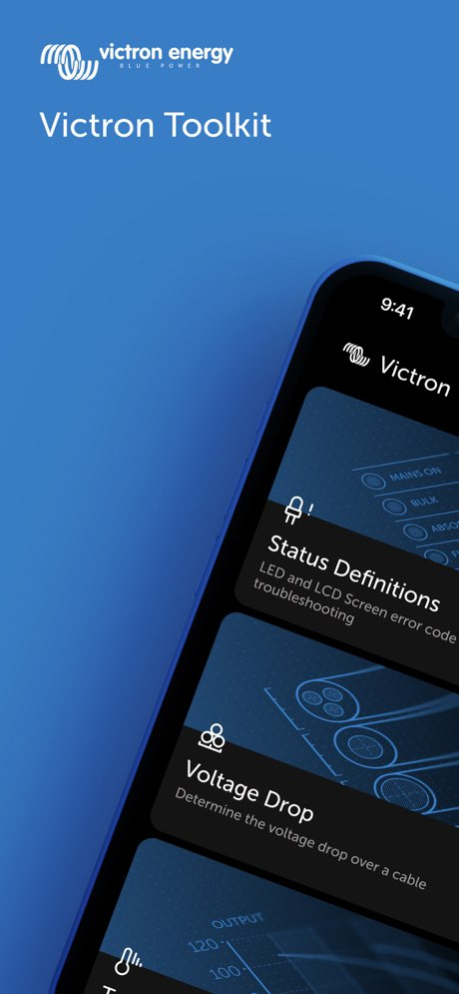
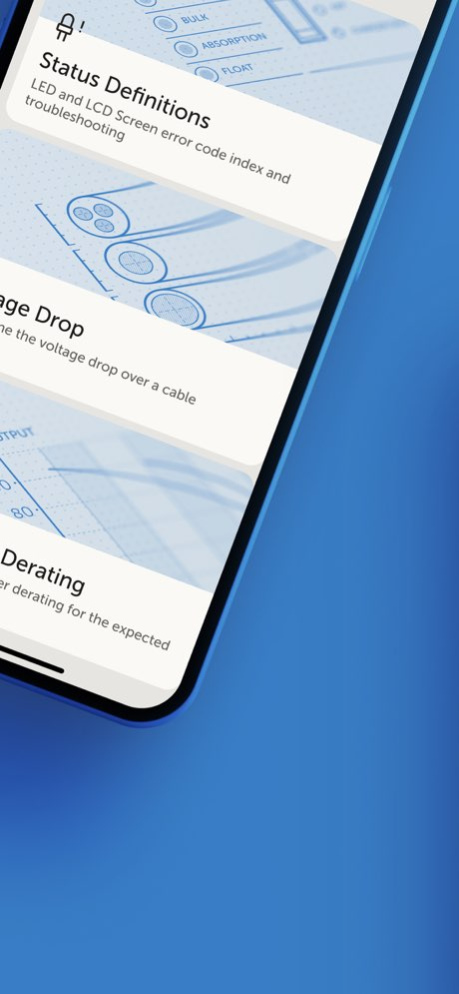
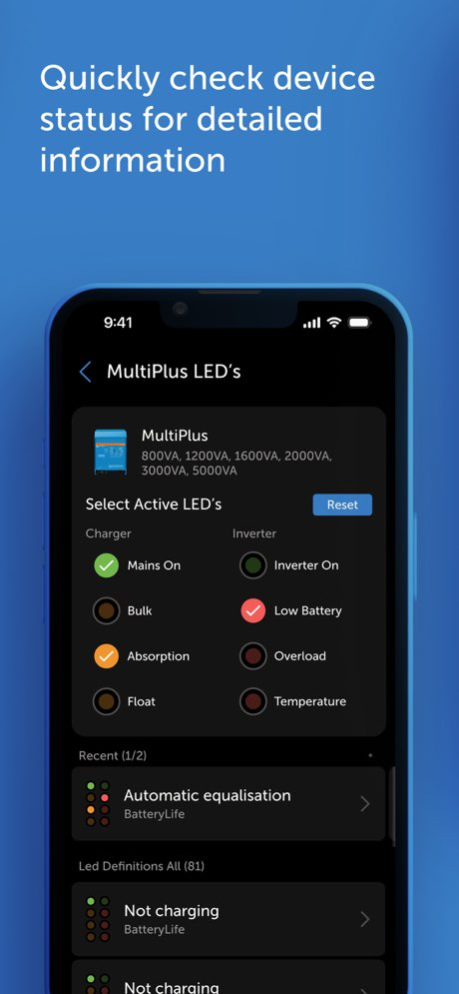
Victron Toolkit enables you to optimise your system's performance with precise diagnostics and user-friendly tools. Easily check device status by selecting LED combinations for detailed information without going through lengthy lists. Effortlessly calculate voltage drops and select cables with confidence. Monitor inverter/charger performance based on operating temperature for a reliable system. Last but not least, enjoy quick QR code scans.
Version History - deprecate support for iOS versions lower than 15.0 - Fix the app not detecting some QR codes as Victron device QR codes 3.4.1 Sep 29 Stability improvements 3.3.17 10/30/2025 Stability improvements 3.3.16 09/25/2025 Status Definitions Performance Enhancements 3.3.15 06/26/2025 Memory optimisation 3.3.14 05/21/2025 Enhanced LEDs filtering 3.3.13 05/19/2025 Stability adjustments 3.3.12 04/20/2025 Enhanced VoiceOver Accessibility 3.3.11 04/06/2025 Fixes: - Changed labels coloring on Voltage drop page - Coloring is moved to voltage drop column - Wrapping of labels is fixed on Pro Max and Plus iPhones 3.3.8 02/18/2025 Fixes: - Resolved an issue causing the app to crash on the Settings page. - Fixed a crash occurring in the QR Code Scanner feature. 3.3.7 01/27/2025 We've updated a few dependencies as part of maintenance. 3.3.50 12/17/2024 Status definitions - Loading indicators are displayed when there is a delay in loading data - Achieve more intuitive filter functionality and interaction Voltage drop - Keyboard - users are now able to close the keyboard - Cable length slider - adjusted increments of the cable length slider App settings - System preference mode for theme settings - Enhanced information about Toolkit app being up to date 3.2.23 09/30/2024 Overall - Complete app redesign - Light and dark mode available Status definitions - Recent devices and LED's listed in related section - Select the related LED's to filter LED definitions and reset the selection Voltage drop - Calculate voltage drop for DC, AC - 1 phase and AC - 3 phase - Potential voltage drop safety issues are indicated in the results table Temperature derating - Monitor inverter/ charger, inverter and charger performance based on operating temperature 3.2.9 07/08/2024 In this release the issues with the cable calculator and temperature derating screen have been solved. 2.4.2 11/22/2016 In this release we have moved the product synchronisation to the background after the first launch to allow for better offline usage and some minor improvements have been made. 2.4.1 11/15/2016 Improvements have been made to how the (multiple) definitions are shown. 2.4 10/08/2016 In this release we have improved the LED definitions functionality to support more of our products: MPPT (2 & 3 led models), and all Phoenix Inverters up to 1200VA. The interface has also been improved to help you find the correct LED definition quicker. Furthermore, any changes to these definitions will be pushed to the app automatically! Thanks for using our toolkit app! 2.3 08/19/2016 You can now scan the QR code on your Victron equipment for more product information 2.2 03/14/2016 Minor bug fixes 2.1 03/04/2016 The Victron Toolkit replaces the old Victron LED app & the old VictronEnergy app, and incorporates a completely new design. The Pricing & Availability feature of the old VictronEnergy app is now available in the separate Victron P&A app. 2.0 10/01/2014 1.0 01/08/2014
Previous Versions
Here you can find the changelog of Victron Toolkit since it was posted on our website on 2016-10-14 18:14:51.
The latest version is 3.4.1 and it was updated on 2026-10-07 01:55:29. See below the changes in each version.
Victron Toolkit version 3.4.1
Updated At: 2026-10-07
Changes: Version History - deprecate support for iOS versions lower than 15.0
- Fix the app not detecting some QR codes as Victron device QR codes 3.4.1 Sep 29 Stability improvements 3.3.17 10/30/2025 Stability improvements 3.3.16 09/25/2025 Status Definitions Performance Enhancements 3.3.15 06/26/2025 Memory optimisation 3.3.14 05/21/2025 Enhanced LEDs filtering 3.3.13 05/19/2025 Stability adjustments 3.3.12 04/20/2025 Enhanced VoiceOver Accessibility 3.3.11 04/06/2025 Fixes:
- Changed labels coloring on Voltage drop page
- Coloring is moved to voltage drop column
- Wrapping of labels is fixed on Pro Max and Plus iPhones 3.3.8 02/18/2025 Fixes:
- Resolved an issue causing the app to crash on the Settings page.
- Fixed a crash occurring in the QR Code Scanner feature. 3.3.7 01/27/2025 We've updated a few dependencies as part of maintenance. 3.3.50 12/17/2024 Status definitions
- Loading indicators are displayed when there is a delay in loading data
- Achieve more intuitive filter functionality and interaction
Voltage drop
- Keyboard - users are now able to close the keyboard
- Cable length slider - adjusted increments of the cable length slider
App settings
- System preference mode for theme settings
- Enhanced information about Toolkit app being up to date 3.2.23 09/30/2024 Overall
- Complete app redesign
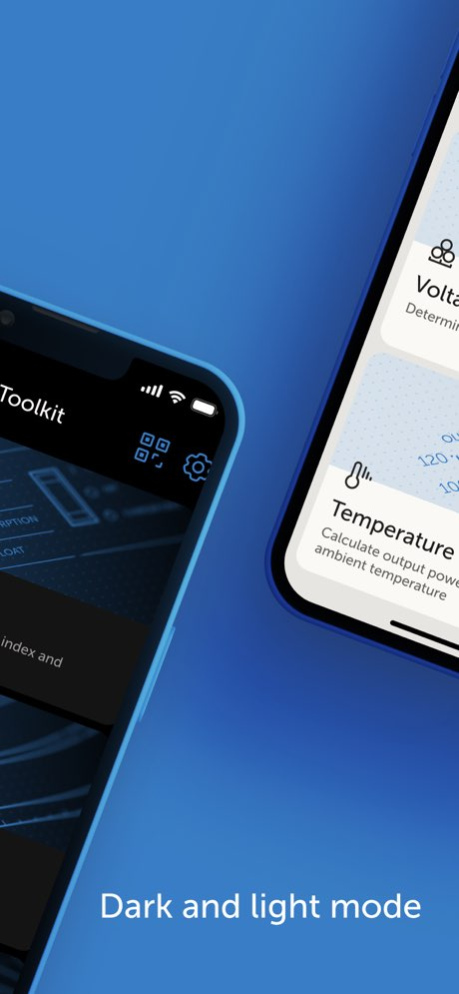
- Light and dark mode available
Status definitions
- Recent devices and LED's listed in related section
- Select the related LED's to filter LED definitions and reset the selection
Voltage drop
- Calculate voltage drop for DC, AC - 1 phase and AC - 3 phase
- Potential voltage drop safety issues are indicated in the results table
Temperature derating
- Monitor inverter/ charger, inverter and charger performance based on operating temperature 3.2.9 07/08/2024 In this release the issues with the cable calculator and temperature derating screen have been solved. 2.4.2 11/22/2016 In this release we have moved the product synchronisation to the background after the first launch to allow for better offline usage and some minor improvements have been made. 2.4.1 11/15/2016 Improvements have been made to how the (multiple) definitions are shown. 2.4 10/08/2016 In this release we have improved the LED definitions functionality to support more of our products: MPPT (2 & 3 led models), and all Phoenix Inverters up to 1200VA. The interface has also been improved to help you find the correct LED definition quicker. Furthermore, any changes to these definitions will be pushed to the app automatically!
Thanks for using our toolkit app! 2.3 08/19/2016 You can now scan the QR code on your Victron equipment for more product information 2.2 03/14/2016 Minor bug fixes 2.1 03/04/2016 The Victron Toolkit replaces the old Victron LED app & the old VictronEnergy app, and incorporates a completely new design. The Pricing & Availability feature of the old VictronEnergy app is now available in the separate Victron P&A app. 2.0 10/01/2014 1.0 01/08/2014
Victron Toolkit version 3.4.1
Updated At: 2026-10-04
Changes: Version History - deprecate support for iOS versions lower than 15.0
- Fix the app not detecting some QR codes as Victron device QR codes 3.4.1 4d ago Stability improvements 3.3.17 10/30/2025 Stability improvements 3.3.16 09/25/2025 Status Definitions Performance Enhancements 3.3.15 06/26/2025 Memory optimisation 3.3.14 05/21/2025 Enhanced LEDs filtering 3.3.13 05/19/2025 Stability adjustments 3.3.12 04/20/2025 Enhanced VoiceOver Accessibility 3.3.11 04/06/2025 Fixes:
- Changed labels coloring on Voltage drop page
- Coloring is moved to voltage drop column
- Wrapping of labels is fixed on Pro Max and Plus iPhones 3.3.8 02/18/2025 Fixes:
- Resolved an issue causing the app to crash on the Settings page.
- Fixed a crash occurring in the QR Code Scanner feature. 3.3.7 01/27/2025 We've updated a few dependencies as part of maintenance. 3.3.50 12/17/2024 Status definitions
- Loading indicators are displayed when there is a delay in loading data
- Achieve more intuitive filter functionality and interaction
Voltage drop
- Keyboard - users are now able to close the keyboard
- Cable length slider - adjusted increments of the cable length slider
App settings
- System preference mode for theme settings
- Enhanced information about Toolkit app being up to date 3.2.23 09/30/2024 Overall
- Complete app redesign
- Light and dark mode available
Status definitions
- Recent devices and LED's listed in related section
- Select the related LED's to filter LED definitions and reset the selection
Voltage drop
- Calculate voltage drop for DC, AC - 1 phase and AC - 3 phase
- Potential voltage drop safety issues are indicated in the results table
Temperature derating
- Monitor inverter/ charger, inverter and charger performance based on operating temperature 3.2.9 07/08/2024 In this release the issues with the cable calculator and temperature derating screen have been solved. 2.4.2 11/22/2016 In this release we have moved the product synchronisation to the background after the first launch to allow for better offline usage and some minor improvements have been made. 2.4.1 11/15/2016 Improvements have been made to how the (multiple) definitions are shown. 2.4 10/08/2016 In this release we have improved the LED definitions functionality to support more of our products: MPPT (2 & 3 led models), and all Phoenix Inverters up to 1200VA. The interface has also been improved to help you find the correct LED definition quicker. Furthermore, any changes to these definitions will be pushed to the app automatically!
Thanks for using our toolkit app! 2.3 08/19/2016 You can now scan the QR code on your Victron equipment for more product information 2.2 03/14/2016 Minor bug fixes 2.1 03/04/2016 The Victron Toolkit replaces the old Victron LED app & the old VictronEnergy app, and incorporates a completely new design. The Pricing & Availability feature of the old VictronEnergy app is now available in the separate Victron P&A app. 2.0 10/01/2014 1.0 01/08/2014
Victron Toolkit version 3.3.17
Updated At: 2026-09-27
Changes: Version History Stability improvements 3.3.17 10/30/2025 Stability improvements 3.3.16 09/25/2025 Status Definitions Performance Enhancements 3.3.15 06/26/2025 Memory optimisation 3.3.14 05/21/2025 Enhanced LEDs filtering 3.3.13 05/19/2025 Stability adjustments 3.3.12 04/20/2025 Enhanced VoiceOver Accessibility 3.3.11 04/06/2025 Fixes:
- Changed labels coloring on Voltage drop page
- Coloring is moved to voltage drop column
- Wrapping of labels is fixed on Pro Max and Plus iPhones 3.3.8 02/18/2025 Fixes:
- Resolved an issue causing the app to crash on the Settings page.
- Fixed a crash occurring in the QR Code Scanner feature. 3.3.7 01/27/2025 We've updated a few dependencies as part of maintenance. 3.3.50 12/17/2024 Status definitions
- Loading indicators are displayed when there is a delay in loading data
- Achieve more intuitive filter functionality and interaction
Voltage drop
- Keyboard - users are now able to close the keyboard
- Cable length slider - adjusted increments of the cable length slider
App settings
- System preference mode for theme settings
- Enhanced information about Toolkit app being up to date 3.2.23 09/30/2024 Overall
- Complete app redesign
- Light and dark mode available
Status definitions
- Recent devices and LED's listed in related section
- Select the related LED's to filter LED definitions and reset the selection
Voltage drop
- Calculate voltage drop for DC, AC - 1 phase and AC - 3 phase
- Potential voltage drop safety issues are indicated in the results table
Temperature derating
- Monitor inverter/ charger, inverter and charger performance based on operating temperature 3.2.9 07/08/2024 In this release the issues with the cable calculator and temperature derating screen have been solved. 2.4.2 11/22/2016 In this release we have moved the product synchronisation to the background after the first launch to allow for better offline usage and some minor improvements have been made. 2.4.1 11/15/2016 Improvements have been made to how the (multiple) definitions are shown. 2.4 10/08/2016 In this release we have improved the LED definitions functionality to support more of our products: MPPT (2 & 3 led models), and all Phoenix Inverters up to 1200VA. The interface has also been improved to help you find the correct LED definition quicker. Furthermore, any changes to these definitions will be pushed to the app automatically!
Thanks for using our toolkit app! 2.3 08/19/2016 You can now scan the QR code on your Victron equipment for more product information 2.2 03/14/2016 Minor bug fixes 2.1 03/04/2016 The Victron Toolkit replaces the old Victron LED app & the old VictronEnergy app, and incorporates a completely new design. The Pricing & Availability feature of the old VictronEnergy app is now available in the separate Victron P&A app. 2.0 10/01/2014 1.0 01/08/2014
Victron Toolkit version 3.3.17
Updated At: 2026-09-06
Changes: Version History Stability improvements 3.3.17 10/30/2025 Stability improvements 3.3.16 09/25/2025 Status Definitions Performance Enhancements 3.3.15 06/26/2025 Memory optimisation 3.3.14 05/21/2025 Enhanced LEDs filtering 3.3.13 05/19/2025 Stability adjustments 3.3.12 04/20/2025 Enhanced VoiceOver Accessibility 3.3.11 04/06/2025 Fixes:
- Changed labels coloring on Voltage drop page
- Coloring is moved to voltage drop column
- Wrapping of labels is fixed on Pro Max and Plus iPhones 3.3.8 02/18/2025 Fixes:
- Resolved an issue causing the app to crash on the Settings page.
- Fixed a crash occurring in the QR Code Scanner feature. 3.3.7 01/27/2025 We've updated a few dependencies as part of maintenance. 3.3.50 12/17/2024 Status definitions
- Loading indicators are displayed when there is a delay in loading data
- Achieve more intuitive filter functionality and interaction
Voltage drop
- Keyboard - users are now able to close the keyboard
- Cable length slider - adjusted increments of the cable length slider
App settings
- System preference mode for theme settings
- Enhanced information about Toolkit app being up to date 3.2.23 09/30/2024 Overall
- Complete app redesign
- Light and dark mode available
Status definitions
- Recent devices and LED's listed in related section
- Select the related LED's to filter LED definitions and reset the selection
Voltage drop
- Calculate voltage drop for DC, AC - 1 phase and AC - 3 phase
- Potential voltage drop safety issues are indicated in the results table
Temperature derating
- Monitor inverter/ charger, inverter and charger performance based on operating temperature 3.2.9 07/08/2024 This app has been updated by Apple to prepare for watchOS 27 compatibility. No new features are included.
In this release the issues with the cable calculator and temperature derating screen have been solved. 2.4.2 11/22/2016 In this release we have moved the product synchronisation to the background after the first launch to allow for better offline usage and some minor improvements have been made. 2.4.1 11/15/2016 Improvements have been made to how the (multiple) definitions are shown. 2.4 10/08/2016 In this release we have improved the LED definitions functionality to support more of our products: MPPT (2 & 3 led models), and all Phoenix Inverters up to 1200VA. The interface has also been improved to help you find the correct LED definition quicker. Furthermore, any changes to these definitions will be pushed to the app automatically!
Thanks for using our toolkit app! 2.3 08/19/2016 You can now scan the QR code on your Victron equipment for more product information 2.2 03/14/2016 Minor bug fixes 2.1 03/04/2016 The Victron Toolkit replaces the old Victron LED app & the old VictronEnergy app, and incorporates a completely new design. The Pricing & Availability feature of the old VictronEnergy app is now available in the separate Victron P&A app. 2.0 10/01/2014 1.0 01/08/2014
Victron Toolkit version 3.3.17
Updated At: 2026-08-12
Changes: Version History Stability improvements 3.3.17 10/30/2025 Stability improvements 3.3.16 09/25/2025 Status Definitions Performance Enhancements 3.3.15 06/26/2025 Memory optimisation 3.3.14 05/21/2025 Enhanced LEDs filtering 3.3.13 05/19/2025 Stability adjustments 3.3.12 04/20/2025 Enhanced VoiceOver Accessibility 3.3.11 04/06/2025 Fixes:
- Changed labels coloring on Voltage drop page
- Coloring is moved to voltage drop column
- Wrapping of labels is fixed on Pro Max and Plus iPhones 3.3.8 02/18/2025 Fixes:
- Resolved an issue causing the app to crash on the Settings page.
- Fixed a crash occurring in the QR Code Scanner feature. 3.3.7 01/27/2025 We've updated a few dependencies as part of maintenance. 3.3.50 12/17/2024 Status definitions
- Loading indicators are displayed when there is a delay in loading data
- Achieve more intuitive filter functionality and interaction
Voltage drop
- Keyboard - users are now able to close the keyboard
- Cable length slider - adjusted increments of the cable length slider
App settings
- System preference mode for theme settings
- Enhanced information about Toolkit app being up to date 3.2.23 09/30/2024 Overall
- Complete app redesign
- Light and dark mode available
Status definitions
- Recent devices and LED's listed in related section
- Select the related LED's to filter LED definitions and reset the selection
Voltage drop
- Calculate voltage drop for DC, AC - 1 phase and AC - 3 phase
- Potential voltage drop safety issues are indicated in the results table
Temperature derating
- Monitor inverter/ charger, inverter and charger performance based on operating temperature 3.2.9 07/08/2024 This update from Apple will improve the functionality of this app. No new features are included.
In this release the issues with the cable calculator and temperature derating screen have been solved. 2.4.2 11/22/2016 In this release we have moved the product synchronisation to the background after the first launch to allow for better offline usage and some minor improvements have been made. 2.4.1 11/15/2016 Improvements have been made to how the (multiple) definitions are shown. 2.4 10/08/2016 In this release we have improved the LED definitions functionality to support more of our products: MPPT (2 & 3 led models), and all Phoenix Inverters up to 1200VA. The interface has also been improved to help you find the correct LED definition quicker. Furthermore, any changes to these definitions will be pushed to the app automatically!
Thanks for using our toolkit app! 2.3 08/19/2016 You can now scan the QR code on your Victron equipment for more product information 2.2 03/14/2016 Minor bug fixes 2.1 03/04/2016 The Victron Toolkit replaces the old Victron LED app & the old VictronEnergy app, and incorporates a completely new design. The Pricing & Availability feature of the old VictronEnergy app is now available in the separate Victron P&A app. 2.0 10/01/2014 1.0 01/08/2014
Victron Toolkit version 3.3.17
Updated At: 2025-10-30
Changes: Stability improvements
Victron Toolkit version 3.3.15
Updated At: 2025-06-26
Changes: Jun 26, 2025
Version 3.3.15
Status Definitions Performance Enhancements
Victron Toolkit version 3.3.14
Updated At: 2025-05-21
Changes: May 21, 2025
Version 3.3.14
Memory optimisation
Victron Toolkit version 3.3.12
Updated At: 2025-04-20
Changes: Apr 20, 2025
Version 3.3.12
Stability adjustments
Victron Toolkit version 3.3.11
Updated At: 2025-04-06
Changes: Apr 6, 2025
Version 3.3.11
Enhanced VoiceOver Accessibility
Disclaimer
Official App Store Link
We do not host Victron Toolkit on our servers. We did not scan it for viruses, adware, spyware or other type of malware. This app is hosted by Apple and passed their terms and conditions to be listed there. We recommend caution when installing it.
The App Store link for Victron Toolkit is provided to you by apps112.com without any warranties, representations or guarantees of any kind, so access it at your own risk.
If you have questions regarding this particular app contact the publisher directly. For questions about the functionalities of apps112.com contact us.